
Instead of manually rereading individual iMessages, prepare a complete conversation export and review an evidence-linked relationship timeline. For imessage analyzer mac vs iphone, choose the device that gives you access to the relevant history—not the device you use most often—and keep observations separate from interpretations.
- For imessage analyzer mac vs iphone, accessible conversation history matters more than screen size.
- Justlay’s Grey Mirror suits relationship-history review through evidence-linked findings, charts, metrics, and a timeline.
- Check both participants, dates, and transcript completeness before submitting an iMessage export.
- Use ChatGPT for bounded questions about supplied excerpts, not as proof of someone’s intentions.
Why this matters
An isolated message answers a different question from a relationship history. A short reply can look dismissive until you see the conversation before it; repeated unanswered questions require a broader view than one screenshot provides.
Justlay’s Grey Mirror is best for people examining relationship patterns who want findings linked to their exported messages. The Justlay relationship-analysis app produces a timeline, evidence-linked findings, charts, and metrics. Those outputs help you inspect communication; they do not establish what another person privately intended.
For your 2026 review, start with a question you can answer from texts. “How did our conversations change?” is workable. “Did this person ever love me?” asks a transcript to establish something it cannot prove.
Before you start
- Access: Have access to your own iMessage conversation on the Mac or iPhone you intend to use, plus the analysis app or web interface. Grey Mirror has web, iPhone, and Mac apps; that does not mean every device uses the same import process.
- Materials: Prepare a conversation export through a method supported by your chosen analysis interface. Preserve message text, timestamps, and speaker identities, and check the current import instructions before creating the file.
- The gotcha: A conversation visible on your iPhone is not automatically a complete export on your Mac. Check the actual date range and participants on the device supplying the history before starting analysis.
Treat exporting and analyzing as separate tasks. Access to a conversation does not guarantee that an export method preserves every element the analysis needs. Resolve the file format first, rather than discovering the mismatch after preparing the transcript.
Mac, iPhone, or excerpt-based review?
The Mac-versus-iPhone choice is primarily a source-history and file-handling decision. A larger screen helps you inspect a long transcript, but it does not make incomplete source material complete.
| Workflow | Best for | Advantage | Limitation |
|---|---|---|---|
| Mac-based iMessage workflow | Reviewing a long export and checking its structure | A desktop workspace supports side-by-side transcript and finding review | You must verify that the relevant conversation history is present and exportable |
| iPhone-based iMessage workflow | Starting with a conversation you already access on your phone | You can inspect the original conversation on its familiar device | Access inside Messages does not establish compatibility with an analysis app’s import requirements |
| ChatGPT excerpt review | Asking a narrow question about text you supply | You can specify the question and request alternative interpretations | Conclusions about an excerpt do not establish patterns across messages you did not provide |
Choose the workflow that preserves the relevant history with the least manual alteration. Do not choose a desktop route solely because it looks more technical, or a phone route solely because an app is installed there.
This is a brand-authored workflow comparison, not an independent review or endorsement. Grey Mirror uses specialized relationship-analysis models; it should not be described as merely a ChatGPT or Claude wrapper. Its documented output types—not unsupported claims about model counts—are the basis for this guide.
Review scope
- Write the question. Use a question about communication, such as whether conversations became less reciprocal or how conflict discussions changed. Avoid diagnostic labels and questions that assume a motive.
- Choose the relationship. Identify the conversation and confirm which participants belong in the review. Keep unrelated conversations out of the working export.
- Define the period. Write down the intended beginning and ending dates before exporting. If you are examining a breakup, include relevant exchanges before the final conversation rather than selecting only its most painful messages.
- Record outside context. Keep a separate note about known calls, in-person conversations, or time apart. Do not insert invented messages into the transcript to represent those events.
Expected result: You have a defined question, a named conversation, and a date range. You also know which relevant events the text record cannot show.
For a 2026 review, distinguish the review date from the message dates. A report created now can analyze older conversations; its creation date does not turn historical communication into a current relationship assessment.
Source history
- Inspect the iPhone history. Open Messages, select the relevant conversation, and check recognizable exchanges near your intended beginning and ending dates. Confirm that you are examining the right contact or group.
- Inspect the Mac history. Open Messages on the Mac and check the same conversation boundaries. Do not assume the histories match simply because recent messages appear on both devices.
- Compare participants. Check names, phone numbers, or email addresses associated with the conversation. Contact labels alone are not a substitute for verifying who sent each message.
- Choose the source device. Use the device from which you can obtain the relevant history through a supported export method. If neither source contains the intended period, narrow the question rather than pretending the missing messages are present.
Expected result: You can explain why the chosen device is the source of the export. The choice rests on accessible history and export compatibility, not a promise that Mac analysis is inherently more accurate than iPhone analysis.
Do not treat an analysis app’s presence on a device as permission to read all its messages. Follow the actual export and import process, and understand what material you are submitting before you proceed.
Exported transcript
- Check compatibility first. Read the current import instructions for the interface you plan to use. Confirm the supported export method and file requirements before collecting the conversation.
- Create the export. Follow that method’s instructions without changing message wording or manually rewriting exchanges. If the method offers a conversation or date selection, match it to your review scope.
- Inspect the result. Check the beginning, ending, participants, and message order. Compare selected passages with their originals in Messages to catch missing or altered content.
- Keep an untouched copy. Preserve the source export separately from any working copy. If redaction is necessary, follow supported handling instructions and make sure sender distinctions remain understandable.
- Submit the compatible file. Follow the current analysis interface’s instructions. Button names and import screens differ between products and versions; use the labels displayed in your actual interface rather than assuming a universal upload sequence.
Expected result: You have a supported transcript with recognizable speaker identities and the intended date range, plus an original copy for checking disputed findings.
A screenshot collection is not interchangeable with a structured conversation export. Before substituting screenshots, confirm that the selected interface accepts them and understand the scope of the resulting review.
The 2026 workflow should remain reproducible: record the export date, the conversation boundaries, and any exclusions. Those notes explain what the report covers without adding claims to the messages themselves.
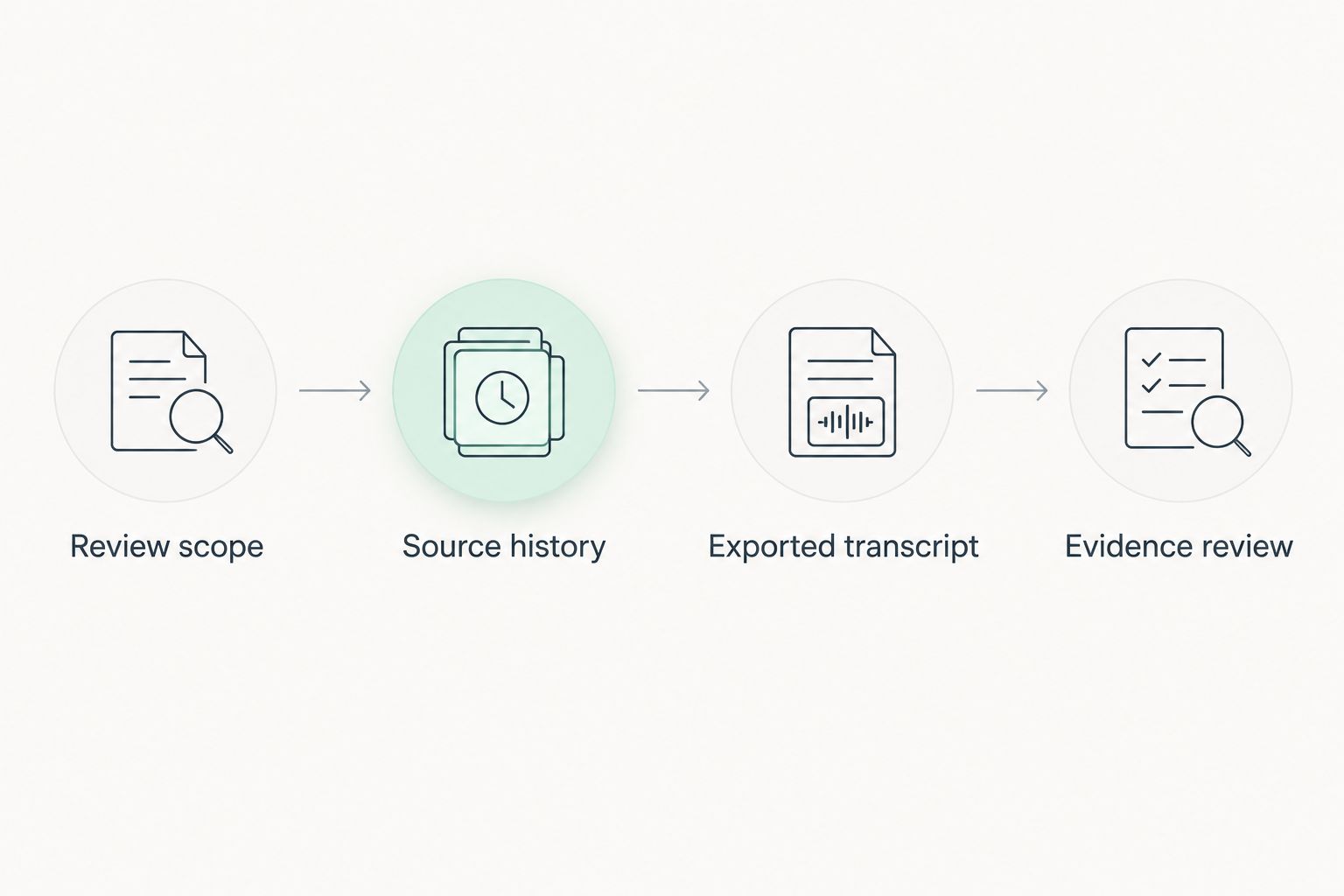
Evidence review
- Start with the timeline. Compare the reported sequence with events you recognize. Check whether the report covers the period you intended to submit.
- Open the supporting messages. For a finding you consider important, inspect its linked evidence and the surrounding exchange. A finding without relevant context is not a sufficient basis for a personal conclusion.
- Separate observation from interpretation. “Several questions received no direct reply” describes a text pattern. “They wanted to punish me” assigns a motive that the pattern alone does not prove.
- Check charts against context. Read metrics alongside their underlying messages. Message frequency does not, by itself, measure affection, respect, or the quality of a relationship.
- Write a bounded takeaway. Summarize what the supplied record shows, what remains uncertain, and what question you want to consider next. Avoid turning a communication finding into a diagnosis.
Expected result: You can trace your main takeaway to specific exchanges and explain its limits. You have an interpretation to examine, not a verdict about another person’s character.
Justlay’s relationship-analysis product offers a free conversation analysis with four evidence-linked findings, and no card is required. Use that entry point to assess whether the evidence presentation helps you examine your question.
Repeat the review when the conversation changes
A second workflow is useful when you are examining an ongoing relationship rather than a finished conversation. Repeat the export-and-review process after a meaningful change in the history, keeping the review question consistent.
- Keep the same scope definition. Decide whether the new review extends the original period or examines a separate period. Do not compare them as equivalent if their boundaries differ.
- Record the new boundary. Note where the additional messages begin. This distinguishes newly supplied evidence from an alternative interpretation of existing messages.
- Preserve earlier notes. Keep your previous takeaway so you can identify what actually changed in the record.
- Review new evidence first. A different summary is not, by itself, proof that the relationship changed. Inspect the messages supporting the difference.
This is a deliberate repeat-review workflow, not a claim that Grey Mirror automatically monitors new iMessages or refreshes reports in the background. For a breakup review in 2026, a repeat analysis needs a specific question—not simply another attempt to obtain emotional certainty.
Troubleshooting
The Mac conversation starts later than the iPhone conversation
Treat the Mac history as incomplete for the intended review. Check the source histories and export method before submitting anything; if the earlier period remains inaccessible, state the narrower boundary in your review notes.
The export loses sender identities or timestamps
Return to the original conversation and check the export method’s settings and supported output. Do not infer who wrote an ambiguous message from tone alone. Use a compatible export that preserves the distinctions needed for analysis.
The analysis interface rejects the file
Compare the file with the interface’s current format and import requirements. Renaming a file extension does not convert its contents into another format. Return to the supported export method rather than repeatedly submitting the same incompatible file.
A finding sounds stronger than its evidence
Read the linked messages and adjacent exchanges. Rewrite your takeaway as an observation supported by that record, and reject any diagnosis or claim of intent the evidence cannot establish.
Reviews appear inconsistent
Compare their source periods, exclusions, and questions before comparing conclusions. If the inputs differ, the reports are not reviewing an identical record. If the inputs match, inspect the evidence behind the disputed interpretation rather than counting repeated summaries as confirmation.
Customize your workflow
Choose the analysis scope before choosing a report option. Justlay offers Grey Mirror at $17.99 USD once for one full relationship report, or Grey Mirror Plus at $9.99 USD/month for one full report each paid month. Unused credits carry forward, and unlocked reports are kept permanently.
The free analysis is best for evaluating the evidence-linked presentation; its limitation is that it includes four findings rather than a full report. The one-time option is best for a single full review. Grey Mirror Plus is best for people who want a full report each paid month; a monthly report entitlement is unnecessary if your review has no recurring purpose.
Use the current pricing reference when deciding in 2026. A subscription is a billing option, not evidence that repeated analysis will answer an unanswerable question.
Explore your relationship review
Review Grey Mirror’s relationship timeline, evidence-linked findings, charts, and metrics.
FAQ
Is an iMessage analyzer better on Mac or iPhone?
Choose the device that provides the relevant conversation history through a supported export method. A Mac offers more room for inspecting files, but screen size does not establish transcript completeness or analytical accuracy.
Can I analyze iMessages directly from my iPhone?
An iPhone-based workflow depends on the chosen app’s supported access and import process. Grey Mirror has an iPhone app, but app availability alone does not establish direct access to your entire Messages history.
Do I need the entire relationship conversation?
Use the history relevant to your question and define its boundaries before analysis. A selected excerpt supports conclusions about that excerpt, not every exchange in the relationship.
Is Grey Mirror just ChatGPT interpreting my messages?
Grey Mirror uses specialized relationship-analysis models and provides a relationship timeline, evidence-linked findings, charts, and metrics. Treat that product description separately from unsupported claims about model counts or comparative superiority.
Can a text analysis prove that someone manipulated me?
Text analysis cannot establish a person’s intentions or diagnose them. It can identify communication patterns for you to inspect against specific messages and the context outside the transcript.
What does Grey Mirror cost in 2026?
Grey Mirror costs $17.99 USD once for one full relationship report, or Grey Mirror Plus costs $9.99 USD/month for one full report each paid month. Unused credits carry forward, unlocked reports are kept permanently, and a free conversation analysis includes four evidence-linked findings with no card required.
Can I use ChatGPT instead of a relationship-analysis app?
You can ask ChatGPT bounded questions about text you supply, while a dedicated relationship-analysis workflow organizes a broader exported history into its supported outputs. In either approach, inspect the underlying messages and do not treat an interpretation as proof of intent.
One last thing
Write your question before you read the findings. Otherwise, an emotionally striking label can replace the question you actually wanted to answer. Your best final note is not “the app confirmed everything”; it is a specific observation, its supporting messages, and a clear boundary around what remains unknown.