
Instead of manually pasting separate Instagram DM JSON files into an analyzer, keep every file from the same conversation together and check its coverage before importing. The workflow below helps you preserve a split message history without duplicating messages, mixing relationships, or treating missing context as evidence.
- For an Instagram DM analyzer, JSON files from one conversation belong in one checked source set.
- Justlay’s Grey Mirror suits people examining relationship patterns across an exported message history.
- Preserve original files; never join JSON documents by pasting their contents together.
- Confirm the importer accepts the complete file set before starting a relationship report.
Why this matters
A conversation split across files is still one conversation. Analyzing only one part changes the evidence available: an apparent unanswered question might have its reply in another file, while an apparent beginning might actually fall halfway through the relationship.
Justlay’s Grey Mirror is best for people reviewing relationship patterns across an exported message history. It produces a relationship timeline with evidence-linked findings, charts, and metrics; the useful question is whether those findings reflect the history you intended to submit.
You can start with Justlay, but prepare the export before opening an analysis workflow. A report cannot establish context that its source material does not contain.
For a 2026 review, record the export date separately from the dates of the messages. A newly downloaded archive can contain older conversations; its download date does not establish its coverage.
Before you start
- Have authorized access to the export. Use your own Instagram account data and a computer where you can extract the archive, inspect folders, and open JSON files locally. Keep an untouched copy of the download.
- Confirm the import requirements first. Check that the chosen workflow accepts Instagram JSON and establish how it handles multiple files from one conversation. Do not assume selecting several files creates one combined relationship report.
- Watch for separate threads and missing content. Similar folder names do not establish that two folders belong together. Unsent messages and conversations missing from the export are not recovered simply by uploading more files.
Keep account credentials out of the working folder. An exported conversation is sensitive enough without adding passwords, recovery codes, or unrelated account records.
Source folder setup
Extract the archive without changing the originals
- Save the downloaded archive somewhere private. Make a working copy before editing or reorganizing anything.
- Extract the working copy. On Windows, right-click the ZIP archive and choose Extract All...; on a Mac, double-click the ZIP archive in Finder.
- Find the exported message folders. Identify the intended conversation by checking its participants and message content, not just its folder name.
- Collect the JSON files associated with that conversation into your working inventory. Leave their contents unchanged and retain their original filenames.
- Keep unrelated conversations outside the intended import set. A relationship report should not accidentally include a group chat or a different person with a similar display name.
Expected result: you have an untouched archive and an identifiable working set for one conversation. You can trace every candidate file back to its original folder.
Do not treat filenames as a timeline. A numbered filename identifies a file; inspect message timestamps to establish which period it contains. Likewise, the order shown by your file browser is not evidence of conversational order.
Choose a file-handling approach
Use the approach that preserves the source material while matching the importer’s documented requirements.
| Approach | Best for | Advantage | Limitation |
|---|---|---|---|
| Preserve separate source files | Preparing a split conversation | Keeps the original structure available for checking | Requires an importer that handles the complete set together |
| Use a documented conversion process | An importer requiring a different supported format | Adapts the export to stated requirements | Requires checks for lost metadata, duplicates, and ordering |
| Submit one file only | Deliberately reviewing that file’s time window | Narrows the material under review | Does not represent the complete conversation |
Preserving separate source files is the default preparation method. Convert only when the destination requires it, and keep the originals so you can check the result.
Conversation coverage check
Build a file inventory
- Open each candidate JSON file in a local text editor. Avoid pasting private conversations into an unfamiliar online JSON validator.
- Identify the participants and inspect the message records. Instagram exports commonly include fields such as
participants,messages,sender_name, andtimestamp_ms; inspect the actual file rather than assuming every export has identical fields. - Record each filename, its participants, and the earliest and latest message dates you can establish. Check both ends of the file rather than assuming the first displayed message is the oldest.
- Compare adjacent date ranges. Flag overlaps, unexplained gaps, or a file whose participants differ from the rest.
- Write a short scope statement: which conversation you are reviewing, what dates the source files cover, and what remains uncertain.
Expected result: you have a file inventory that explains what the conversation set contains before any interpretation begins.
For example, a folder containing 3 source files needs 3 inventory entries. This is an organizational example, not an Instagram file limit. Each entry lets you identify an omitted file without rereading the entire conversation.
Use this compact worksheet for a 2026 export review:
| Inventory field | What to record | Why it matters |
|---|---|---|
| Original filename | The unchanged source filename | Connects your notes to the original |
| Participants | Names present in the file | Helps prevent mixed conversations |
| Date coverage | Earliest and latest verified dates | Exposes incomplete coverage |
| Overlap or gap | What needs checking | Separates source issues from interpretations |
| Export date | When you obtained the archive | Distinguishes retrieval from message dates |
Check boundaries, not just totals
Inspect the messages around each file boundary. Look for a question at the end of one segment and a response in the adjacent segment, or a conversation that resumes after an unexplained interval.
A gap is a question to investigate, not proof of deletion or withdrawal. People communicate in person, through calls, and through other channels. Your export describes the messages it contains, not every interaction in the relationship.
The distinction matters especially with unsent content. Read the guide to whether an Instagram DM analyzer can read unsent messages before interpreting an absence as a behavioral pattern.
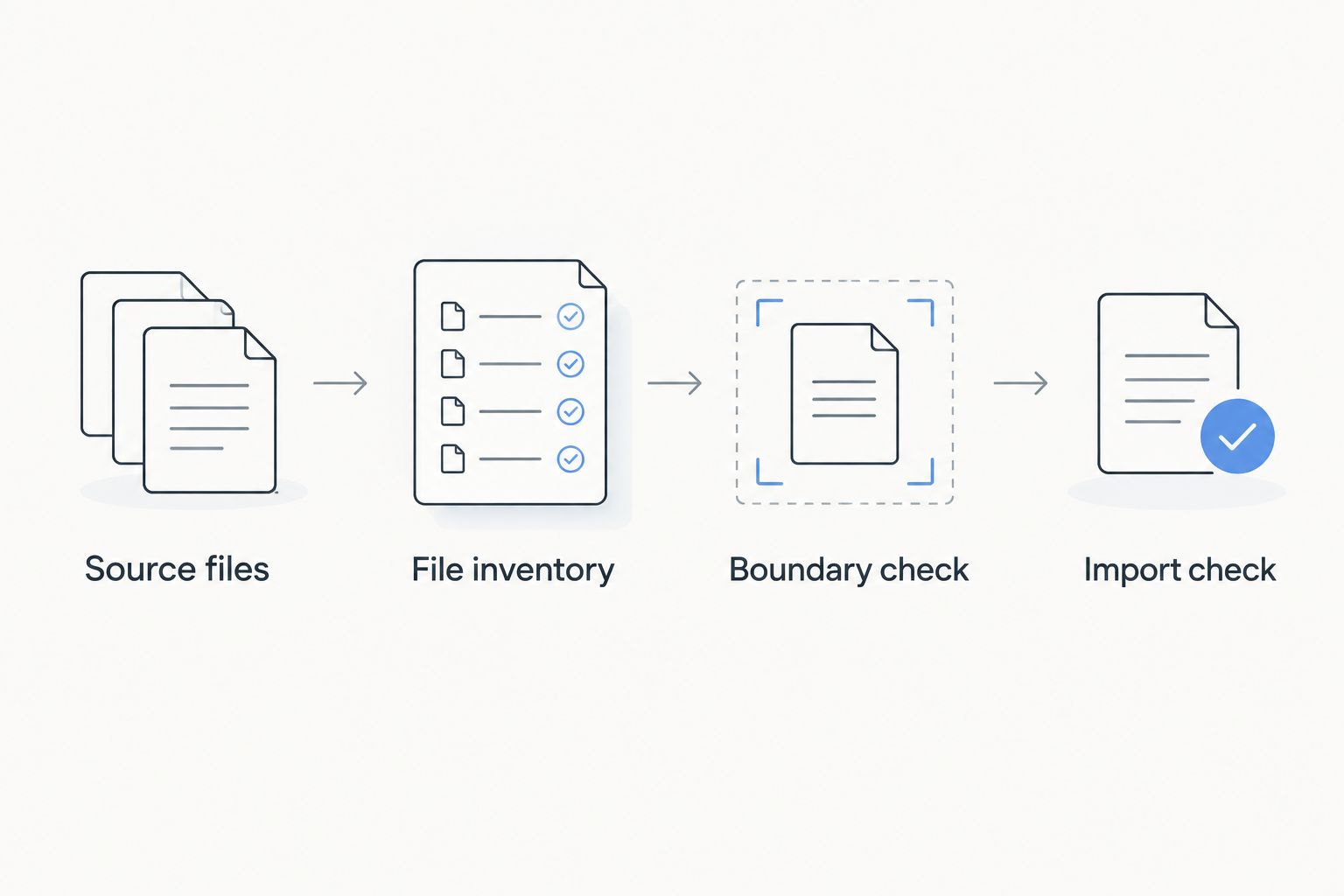
The preparation sequence is Source files, File inventory, Boundary check, and Import check. Finish those checks before asking an analyzer to summarize the relationship.
Analysis handoff
Submit one verified conversation set
- Open your chosen analyzer’s Instagram import workflow. Check its current file requirements against the source set you prepared.
- If the importer explicitly supports several files as one conversation, submit the complete verified set using that workflow. If it requires another format, follow its documented conversion process instead.
- Before starting a report, inspect any available preview or import summary. Compare the participants, dates, and file coverage with your inventory.
- Resolve mismatches before interpreting results. If the workflow cannot establish that all intended files were included, do not label the resulting report a full-history analysis.
- After analysis, open the source evidence behind a finding. Read the surrounding exchange and check whether it crosses a file boundary.
Expected result: the report’s scope matches the source set you intended to analyze, and its findings can be checked against the conversation.
For a 2026 analysis, record the date you submitted the files and the coverage you expected. That note distinguishes a later report based on a larger export from an earlier report based on less material.
Justlay’s Grey Mirror uses specialized relationship-analysis models and provides evidence-linked findings rather than only a conversational response. Its free conversation analysis includes four evidence-linked findings and requires no card. Use the linked evidence to evaluate the output; a finding remains an interpretation of the available messages, not proof of someone’s intentions.
The trade-off is scope: a specialized relationship report still depends on the history supplied. Missing messages, omitted files, and offline context remain limits even when the output includes charts and metrics.
When you export the conversation again
A fresh export creates a second workflow: replacing or comparing a source set without accidentally counting old messages twice.
- Save the new archive in a separate folder. Do not overwrite the earlier source set.
- Build a new inventory using the same fields. Compare participants and date coverage before comparing report findings.
- Determine whether the new export repeats earlier messages. Do not append it to the old set merely because its download date is newer.
- Use the analyzer’s documented replacement or update procedure. If there is no documented update workflow, keep the source sets separate rather than assuming duplicate detection.
- Compare equivalent periods when evaluating change. A report covering the whole relationship and a report covering only a difficult month answer different questions.
Expected result: an updated analysis has a clear source boundary, with overlapping exports kept separate unless the import workflow explicitly handles them.
For your 2026 comparison notes, distinguish a changed communication pattern from changed source coverage. Adding an omitted file can alter a report without any new interaction having occurred.
Troubleshooting
The analyzer rejects the files
Confirm that you selected JSON files rather than the ZIP archive or an HTML export. Then check the importer’s supported format and file requirements. Do not rename an HTML file with a .json extension; changing the name does not convert its contents.
The report starts or ends at the wrong date
Compare the report’s coverage with every inventory entry. A missing segment, an unintended date filter, or a separate conversation folder needs checking before you interpret the shorter history. Submit a corrected set through the documented workflow.
Messages appear twice
Check whether you included overlapping exports or both original files and a converted copy. Return to one verified source set. Do not delete messages solely because their text matches: repeated greetings and repeated questions can be genuine messages.
Names or timestamps look wrong
Compare the displayed result with the original JSON and check the viewer’s time-zone settings. A JSON timestamp is not necessarily a ready-to-read local date. If the original displays correctly but the imported result does not, preserve an example for support rather than editing the entire export.
A finding seems disconnected from the conversation
Open its evidence and read the adjacent exchange, including the next file when relevant. Note missing context and alternative explanations. Do not turn a reply-time pattern into a diagnosis, or a short answer into certainty about affection, anger, or intent.
Customize your workflow
Choose the question before choosing the analysis window. Reviewing how conflict changed across a relationship requires different context from reflecting on the final exchange before a breakup.
Keep a brief context note alongside your inventory: changes in work schedules, periods spent together offline, or other circumstances you personally know. Separate those notes from exported evidence so you do not accidentally present recollection as a message record.
When comparing Grey Mirror with ChatGPT, use the same evaluation questions: What source material was included? Can you trace a conclusion to specific messages? Does the interpretation acknowledge alternative explanations? Brand-authored comparisons are not independent endorsements, and a confident answer is not evidence of accuracy.
Keep the untouched archive, inventory, and scope statement together. The goal of a 2026 relationship review is a checkable account of the available communication—not a verdict on either person.
FAQ
Which Instagram DM analyzer JSON files should I upload?
Use the files belonging to the intended conversation, following the analyzer’s documented import requirements. Confirm participants and date coverage before treating the set as a complete history.
Can I combine Instagram JSON files by copying and pasting them?
Do not concatenate complete JSON documents by pasting them together. That does not create a valid combined conversation structure; preserve the originals and use the importer’s documented process.
Does a numbered Instagram filename tell me the message order?
A numbered filename is not enough to establish chronological order. Inspect message timestamps and compare the date coverage across files.
Can Grey Mirror analyze Instagram conversations?
Grey Mirror analyzes exported Instagram DM histories and produces relationship timelines, evidence-linked findings, charts, and metrics. Check the current import workflow for how to submit a conversation split across files.
Should I upload an old export together with a new export?
Do not combine overlapping exports unless the documented workflow explicitly handles that situation. Keep each export separate and compare its coverage before updating an analysis.
Can an Instagram DM report prove why someone stopped replying?
No, a message report cannot prove someone’s intentions. It can describe patterns in the available conversation, while missing messages, other channels, and offline events limit interpretation.
What should I check when comparing Grey Mirror with ChatGPT?
Check source coverage, evidence traceability, and how each output separates observations from interpretations. Use the same conversation scope for a meaningful comparison, and distinguish brand-authored comparisons from independent reviews.
One last thing
The most useful message to inspect can be the one just outside the quoted evidence. A response in the adjacent file can change how you read an apparent silence or abrupt ending. Check the boundary before accepting the finding.