
Instead of manually guessing when each message was sent, check the original conversation, exported timestamps, and date interpretation before running relationship analysis. For an iMessage analyzer missing timestamps, the fix starts with identifying whether the time information is hidden, absent, or being read incorrectly—not filling gaps with estimates.
- For an iMessage analyzer missing timestamps, compare the export with the original conversation before interpreting timing patterns.
- Grey Mirror provides relationship timelines and evidence-linked findings; incomplete timestamps limit what timing-based conclusions can support.
- Preserve the original export, check date formats, and separate missing times from time-zone differences.
- Never treat an undocumented gap as proof that someone ignored a message.
Why this matters
A relationship timeline needs dependable dates. Message wording can remain readable even when timing information is missing, but response delays, daily activity patterns, and changes across periods require usable timestamps.
Justlay offers Grey Mirror, which analyzes exported message histories and produces relationship timelines with evidence-linked findings, charts, and metrics. Justlay’s Grey Mirror relationship analysis is best suited to people examining an existing relationship or reflecting on a breakup. Its findings are material for reflection, not a diagnosis or proof of another person’s intentions.
For your 2026 review, separate these questions: What does the text say? When was it sent? Does the available record support the interpretation? A readable conversation does not automatically provide reliable answers to all three.
Before you start
- Gather the source and the export. You need access to the original Messages conversation where possible, the untouched exported file, and a separate working copy. Confirm that your chosen analyzer accepts the export format before changing it.
- Prepare a small verification sample. Select 3 messages you can locate in both places, across 2 calendar dates. Include a message near midnight if one exists, because date-boundary errors are easier to spot there.
- Check the non-obvious spreadsheet trap. Opening and saving an export in spreadsheet software can change how dates are interpreted or displayed. Inspect the original first; do not overwrite your only copy while investigating.
You do not need to upload an entire private conversation to troubleshoot its date structure. Start with local inspection, and share only the minimum necessary information if you request support.
Source conversation checks
Establish what the original record contains
- Locate the sample messages. Find the same messages in the original conversation and the export. Match the sender and wording, not just their apparent position in a list.
- Reveal the original times. In Messages on iPhone, drag the conversation to the left to reveal message times. Record the displayed date and time for each sample message without editing the export.
- Identify the scope of the problem. Check whether timestamps are absent throughout the export, missing only in a section, or present but different from the original display.
- Note known gaps. Record whether you know that messages were deleted, devices changed, or the export covers only part of the relationship. Do not infer a cause from an unexplained blank period.
Expected result: You can describe the issue as missing source information, an export problem, or a mismatch between displayed and exported times. That distinction determines the next step.
A time hidden in the conversation interface is not the same as a timestamp missing from an exported file. Likewise, a message visible on one device does not establish that every export contains it.
If you are still choosing where to prepare the conversation, use the guide to iMessage analysis on Mac or iPhone. Choose the workflow around the record you can verify, rather than assuming a different device will repair missing data.
Export timestamp checks
Inspect the untouched file
- Open a copy without resaving it. Use a viewer appropriate to the export format. For a text-based export, inspect the actual text rather than relying only on a spreadsheet’s formatted display.
- Find each sample message. Check whether the date and time appear on the message itself, in a separate field, or only in a heading shared by several messages.
- Check sender association. Make sure each timestamp belongs to the intended message. A wrapped line, quoted reply, or attached item can make visual alignment misleading.
- Record the date convention. Identify whether the file uses month-first dates, day-first dates, or an unambiguous year-first format. Resolve ambiguous dates against the source conversation.
- Check time-zone information. Look for an explicit offset or time-zone designation. If neither exists, document that limitation rather than assigning a zone by guesswork.
Expected result: You know whether the export contains message-level timestamps and whether their meaning can be established from the original conversation.
For a 2026 analysis, do not rewrite a historical message’s year to match the review date. Preserve the actual date recorded in the source. The analysis date and the conversation date serve different purposes.
Choose the appropriate repair path
These are troubleshooting options, not verified Grey Mirror import modes. Use only a format and workflow that your chosen analyzer documents as supported.
| Repair path | Best for | Advantage | Limitation |
|---|---|---|---|
| Re-export from the source | Times appear in Messages but are absent from the file | Gives you another opportunity to preserve original metadata | Cannot recover information absent from the available source |
| Correct documented formatting | Timestamps exist but their format is misread | Preserves the underlying recorded times | An incorrect conversion can introduce new errors |
| Restrict the analysis | Some periods have verifiable timestamps and others do not | Keeps timing claims tied to usable evidence | Leaves incomplete periods outside timing comparisons |
Re-export before reconstructing. If an export omitted information that remains visible in the source, return to the export process rather than manually attaching guessed times to messages.
If a file contains numeric timestamps instead of readable dates, check the exporter’s documentation for the date origin and unit. Do not select a conversion merely because its output looks plausible.
Date interpretation and verification
Validate the working copy
- Preserve the original values. Make any documented formatting changes only in the working copy. Keep a note of what changed and why.
- Confirm the date convention. Compare an unambiguous source date with its exported equivalent before applying a conversion across the file.
- Check time-zone handling. Determine whether the export and the original display represent the same instant differently. Do not apply one fixed correction across the entire history without checking dates around daylight-saving changes.
- Recheck the sample. Compare all 3 messages again, including their dates, times, sender labels, and order. Expand the sample if you find inconsistent results.
- Test before interpreting. If the analyzer provides a preview or source-linked output, inspect it before relying on timing metrics. If it does not, verify the file separately and retain your limitations note.
Expected result: The sample retains the same message identities and defensible timing information from source to analysis. Any unresolved discrepancy remains explicit.
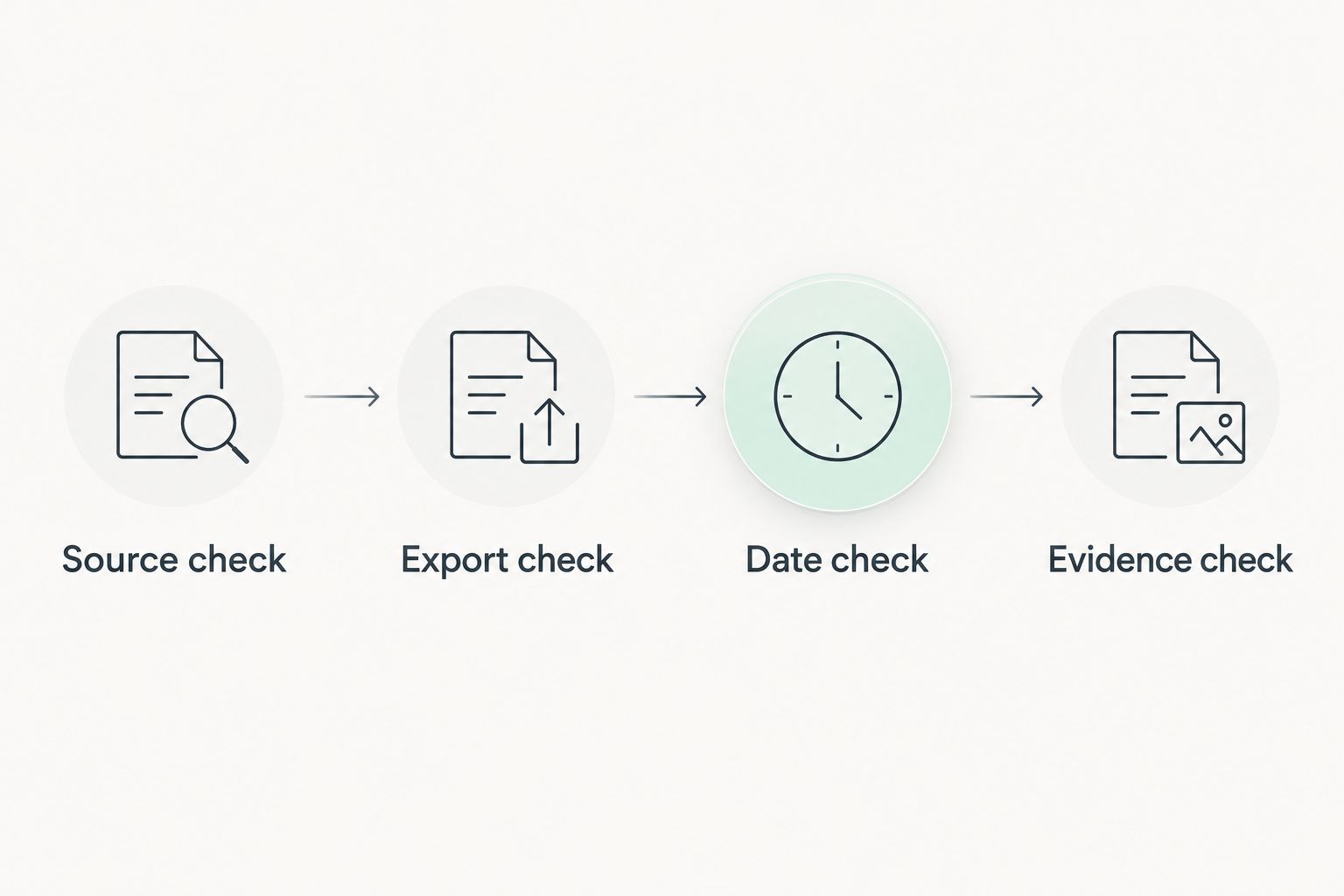
Use this 2026 verification sequence whenever you replace an export or change a date conversion. Passing an earlier check does not validate a newly generated file.
The sequence is simple: Source check, Export check, Date check, then Evidence check. Each stage answers a different question; none substitutes for the next.
When a newer export replaces an older one
You can use the same checks when adding a later period of conversation. Treat a refreshed export as a new input, not an automatic continuation of an already verified timeline.
- Compare the covered periods. Write down the earliest and latest verified dates in each file. Identify overlap before combining anything.
- Check repeated messages. Confirm that overlapping exports do not cause the same exchange to appear twice. Repeated wording alone is not enough to identify a duplicate; compare sender and timestamp too.
- Repeat the date checks. Confirm that the newer file uses the same date convention and time-zone treatment, or document the difference.
- Compare equivalent periods. Do not interpret a short, incomplete update as a change in the relationship without checking its coverage against the earlier record.
Expected result: You know what the new export adds, what it repeats, and which periods support comparison.
For your 2026 follow-up, keep the previous untouched export alongside the replacement. This provides a way to investigate whether a new gap appeared during export preparation rather than in the conversation itself.
Troubleshooting missing iMessage timestamps
The original shows times, but the export does not
Return to the exporter’s documented options and confirm whether its output preserves message-level timestamps. Generate a fresh file if a suitable option exists. Renaming the file or changing its extension does not restore omitted metadata.
Every message appears shifted by a similar amount
Compare the original display with the export’s time-zone notation. Check messages from different parts of the year before applying a correction. A display difference and a genuinely incorrect timestamp require different fixes.
Dates look valid, but the conversation order is wrong
Check whether the dates were sorted as text rather than interpreted as dates. Then inspect messages sharing the same displayed time. Do not invent seconds to force a preferred sequence. If the available record cannot resolve the order, preserve that uncertainty.
Some messages have a date but no individual time
Determine whether a heading supplies only a shared calendar date. A date establishes a day, not a precise interval between messages. Exclude those messages from exact response-time calculations unless the missing time exists in a verifiable source.
A quiet period is being described as withdrawal
Check the export’s coverage before treating silence as behavior. Missing messages, incomplete exports, and uncertain dates limit that interpretation. Even a verified gap establishes an absence of messages in the record—not a person’s motive.
Customize your workflow
Separate observations from interpretations in your notes. For example, “the export contains no messages in this interval” describes the record; “they stopped caring” assigns an intention the record cannot establish.
Justlay’s Grey Mirror relationship analysis uses specialized relationship-analysis models and provides evidence-linked findings. The benefit is being able to revisit the supporting messages; the limitation is that a finding still depends on the completeness and interpretation of its input. No model can turn an undocumented time into a verified event.
For a 2026 review, keep a short input note covering the source, export method, verified date range, and unresolved timestamp issues. Use that note when evaluating timeline findings or preparing questions for a conversation with your partner.
Keep wording-based reflection separate from timing-based conclusions. A passage can help you discuss communication without supporting a claim about how quickly someone usually replied.
FAQ
Why is my iMessage analyzer missing timestamps?
The timestamp can be absent from the export, hidden in the original interface, or misread during date interpretation. Compare matching messages in the original conversation and the untouched export to identify which problem you have.
Can Grey Mirror analyze messages if some timestamps are missing?
Do not assume an incomplete export supports every Grey Mirror finding. Confirm the accepted input requirements, and treat timing-based conclusions as unsupported wherever the necessary dates or times cannot be verified.
How do I see individual message times on my iPhone?
In Messages on iPhone, drag the conversation to the left to reveal message times. Compare those displayed times with the same messages in your exported file.
Should I add estimated timestamps before uploading a conversation?
No. Estimated timestamps turn unknown information into apparent evidence. Re-export from a verifiable source or leave the affected timing questions unresolved.
Can a time-zone mismatch make messages appear on the wrong day?
Yes, a time-zone difference can place the same instant on a different calendar date near midnight. Check the exported offset and the original display before changing the date.
Do missing timestamps prove that someone deleted messages?
No. Missing timestamps alone do not establish deletion or explain who caused a gap. Investigate the source conversation and export process without assigning intent.
Can I still reflect on a breakup using an incomplete conversation?
Yes, provided you keep the limitations explicit and avoid treating the partial record as the whole relationship. Justlay’s Grey Mirror offers evidence-linked relationship findings, but incomplete inputs still require cautious interpretation.
One last thing
A visible timestamp is not automatically a trustworthy timestamp. A consistently misread date format can produce a tidy timeline that is still wrong.
Before accepting a striking finding, return to a source message that supports it. If you cannot verify the relevant date, keep the passage as a discussion prompt—not evidence of a timing pattern.